Code and Coordinates
engineering at Geocodio
Ship Features in Your Sleep with Ralph Loops
Claude Code is powerful, but performance degrades as context grows. Ralph Loops solve this by wrapping your AI agent in a while loop with external state. Here's how I've been using this pattern to ship entire features overnight.
By Mathias Hansen
A note before we dive in: This is experimental territory. Ralph Loops are something I've been exploring on side projects and prototypes, not something we're using to ship production features at Geocodio. But the pattern is fascinating, and I wanted to share what I've learned. I gave a version of this as a talk at the Copenhagen Laravel Meetup last night. This post expands on those ideas.
You know that sinking feeling when you're deep into a complex feature and Claude Code hits you with the "context low" message? You've been iterating, refining, and suddenly the AI forgets half of what you discussed. It starts suggesting code that conflicts with decisions you made an hour ago.

Geocodio engineer TJ Miller recently wrote about how we use Claude Code at Geocodio, covering the skills, hooks, and MCP servers that make it useful. When we do use AI for development, that's our approach. It works well for medium-sized features. But there's a wall.
Claude Opus 4.5 has a 200K token context window, which sounds like a lot... until you're building something substantial.
You hit that limit, the AI starts compacting its memory, and suddenly it's forgotten that you agreed on a specific database schema or that you're using a particular authentication pattern.
I call it Claude amnesia. One minute it's implementing exactly what you discussed, the next it's reinventing the wheel. Or worse, quietly deleting or skipping tests it couldn't fix. "All tests pass" sounds great until you realize how it got there.
What if there was a way to build entire features, even full applications, without hitting that wall?
The Ralph Wiggum Loop
In July 2025, Geoffrey Huntley published a blog post that changed how I think about AI-assisted development. When I first read it, I thought "that can't possibly work."
The core idea is almost comically simple: wrap your AI agent in a while loop.
while true; do claude ""; done That's it. That's the whole technique.
The "Ralph" name comes from Ralph Wiggum, the Simpsons character who's not the sharpest tool in the shed but gets things done through sheer persistence. Each iteration is dumb in isolation, but the loop as a whole is surprisingly capable.
Why does this work?
Fresh context every iteration - No context exhaustion. Each loop starts clean.
Externalized state - Progress is tracked in files, not in Claude's memory.
Self-correcting - Each iteration can fix mistakes from previous ones.
Transparent - You can see exactly what happened at each step.
I built two full apps this weekend using Ralph. Complete with landing pages, documentation, guides, and examples. I started Friday at 4pm, and by Sunday evening both were done with very little hands-on work from me.
The Three-Step Workflow
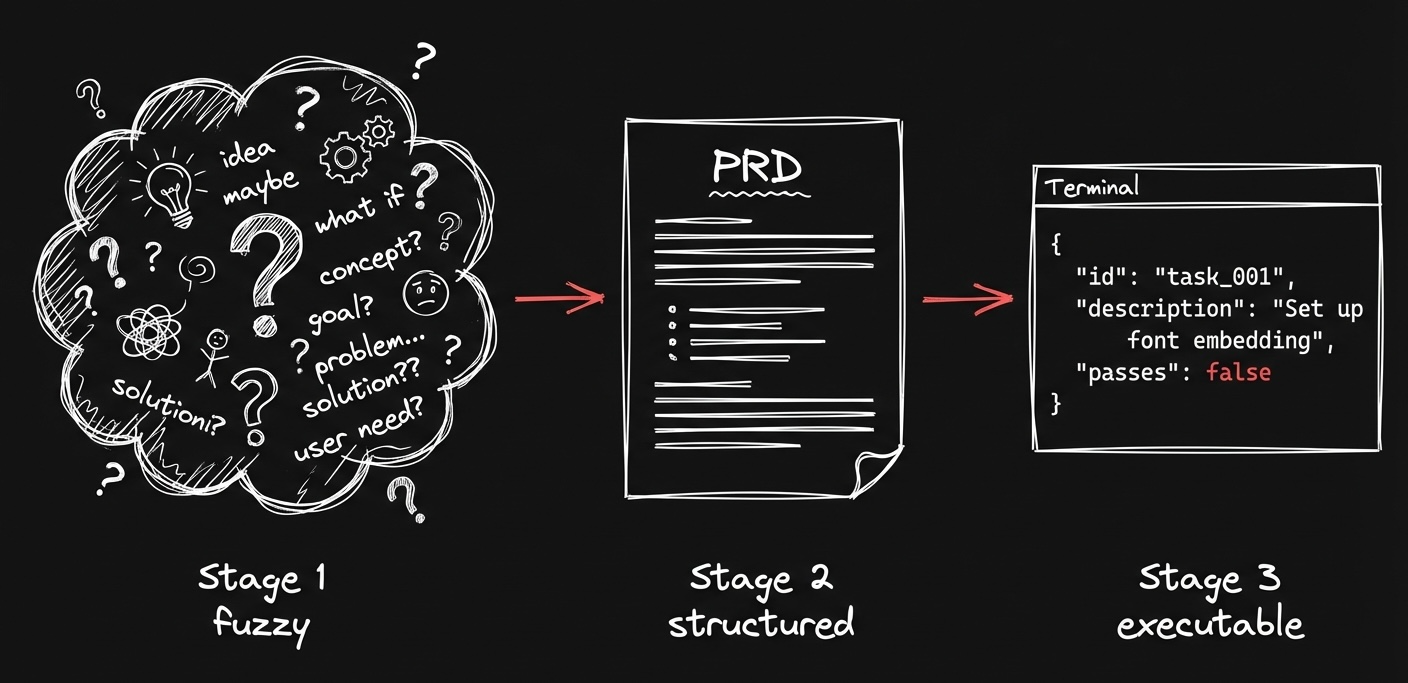
There are tons of Ralph loop wrappers and harnesses out there. You can run a Ralph loop from just a single prompt if you want. But for bigger projects like the ones I worked on, I used a more structured approach to scope things out first. This workflow is loosely based on snarktank/ralph.
The idea is to break complex work into bite-sized pieces that each fit within a single context window.
Step 1: Define What You're Building
I like to get a fresh cup of coffee, get settled with my laptop, and have a good chat with Claude about what I want to build.
What's on my feature wish list? What tech stack should we use? What's the high-level architecture?
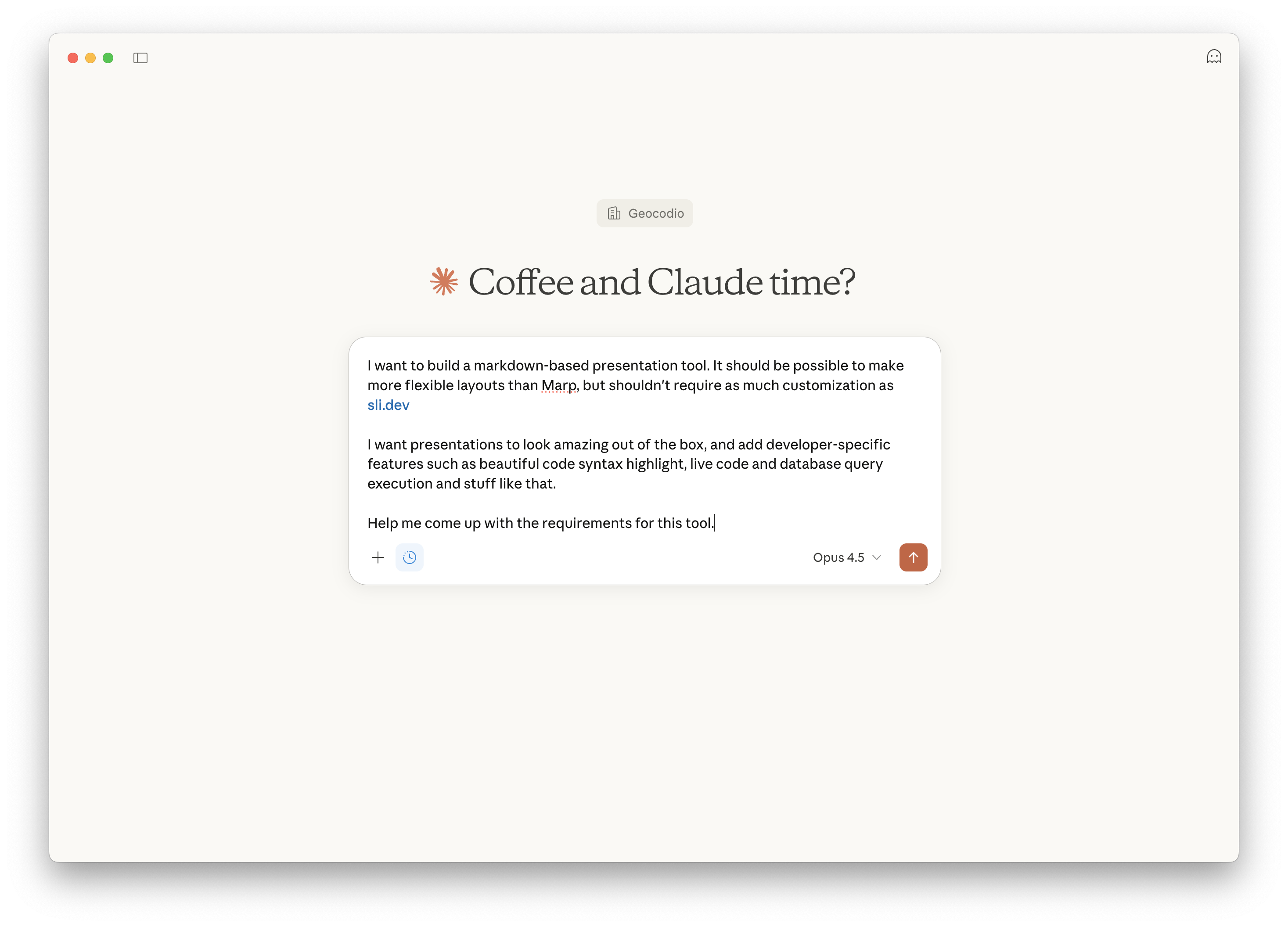
This is similar to plan mode, but without limiting scope. By the end of this conversation, you should have a clear picture of what you're building.
I ask Claude to summarize all of the requirements in a spec markdown file.
Step 2: Create a Detailed PRD
Now it's time to fire up Claude Code.
I start by prompting the PRD skill from the SPEC.md file we just created.
There's a PRD skill in the snarktank/ralph repo that's designed exactly for this. It takes your spec and transforms it into a proper Product Requirements Document with user stories and acceptance criteria.
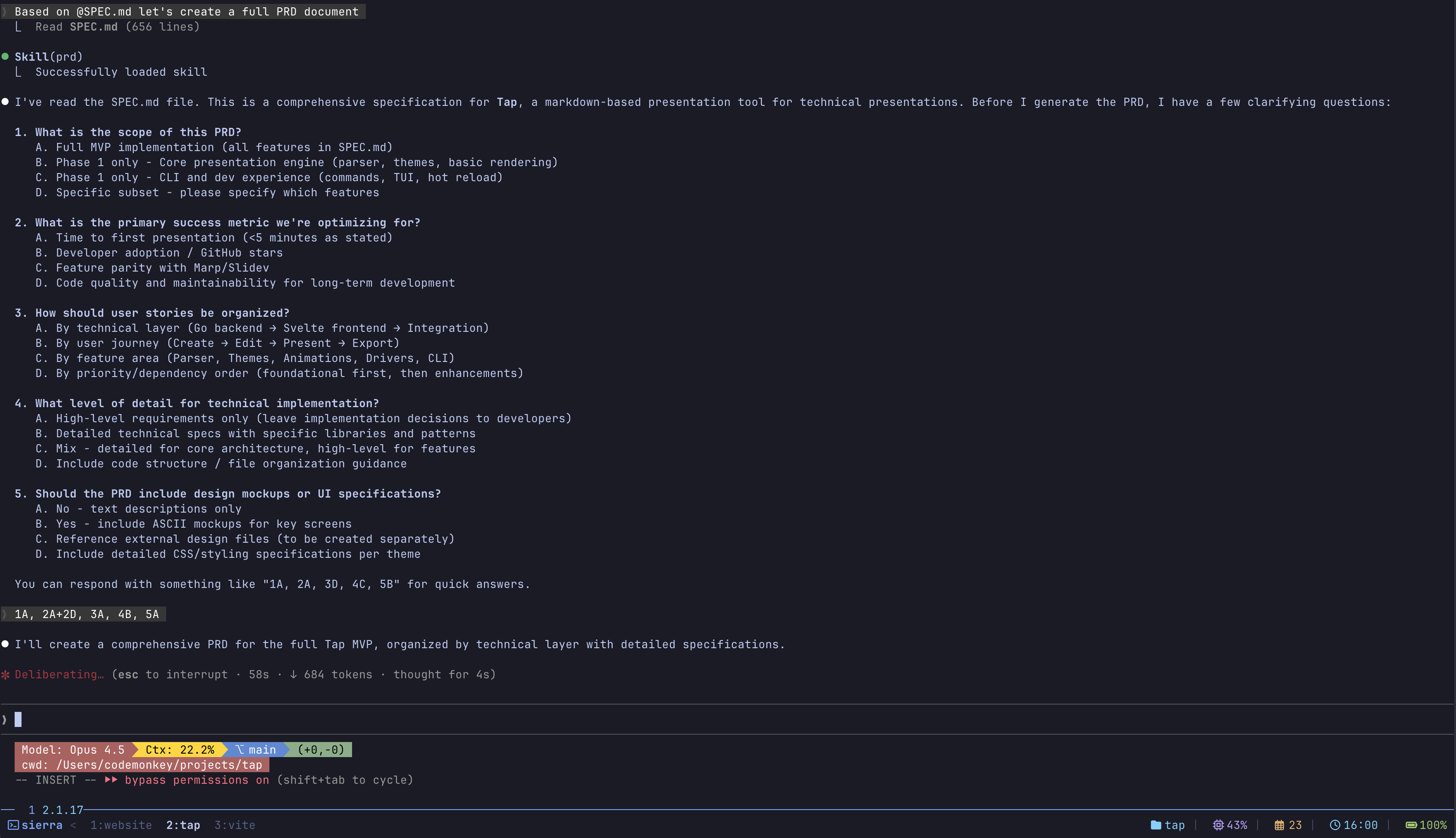
The goal is to break the project into tasks small enough that each task completes in a single Ralph iteration. The PRD skill handles this surprisingly well.
Step 3: Convert to JSON Task File
The PRD then gets converted into a machine-readable prd.json file using another skill from the snarktank/ralph repo. This is what drives the entire loop.
Here's what the structure looks like:
{
  "project": "Task Priority Feature",
  "branchName": "ralph/task-priority",
  "description": "Add priority levels to tasks",
  "userStories": [
    {
      "id": "US-001",
      "title": "Add priority field to database",
      "acceptanceCriteria": [
        "Add priority column to tasks table",
        "Generate and run migration",
        "Typecheck passes"
      ],
      "priority": 1,
      "passes": false,
      "notes": ""
    },
    {
      "id": "US-002",
      "title": "Add priority dropdown to task form",
      "acceptanceCriteria": [
        "Priority dropdown visible in form",
        "Form validation includes priority",
        "php artisan test passes"
      ],
      "priority": 2,
      "passes": false,
      "notes": ""
    }
  ]
}
The key field is "passes": false. This is how the loop tracks completion. Each iteration finds the highest priority story with passes: false, implements it, verifies the acceptance criteria, and flips it to true.
Claude reads this file at the start of each iteration to understand what's done and what's next. The while loop keeps running until every story has passes: true.
The Secret Sauce: Acceptance Criteria
Acceptance criteria are a key part of why Ralph loops work.
Each task needs clear, verifiable criteria so Claude knows exactly when it's done.
Good acceptance criteria:
php artisan testpasses./vendor/bin/phpstan analysepassesUser can see priority dropdown on
/tasks/createpageForm submits successfully with priority value saved
Bad acceptance criteria:
Feature works correctly
Code is clean
Tests pass (which tests?)
The difference is that good criteria are verifiable commands or specific assertions. Claude can run php artisan test and see if it passes. It can navigate to a page and check if an element exists. It can't objectively determine if code is "clean."
The Progress File
Each iteration starts fresh with no memory of previous iterations. So how does iteration 5 know what iteration 3 figured out?
External state files.
The most important one is progress.txt:
## Iteration 3 - 2026-01-23 14:32:15

### Task: US-003 - Add priority dropdown to task form

**What I did:**
- Added PriorityEnum with values: low, medium, high, urgent
- Updated TaskRequest with priority validation
- Added Blade select component

**Acceptance criteria results:**
- php artisan test - 47 passed
- ./vendor/bin/phpstan analyse - No errors
- Priority visible in form (verified via browser)

**Learnings for future iterations:**
- This project uses spatie/laravel-enum, not native PHP enums
- Form components are in resources/views/components/forms/
- The tasks table has soft deletes - use withTrashed() when needed

**Status:** PASSED - Updated prd.json
The learnings section is the secret sauce. It's how the loop builds institutional memory. Each iteration reads this file and learns from previous iterations' discoveries without needing to rediscover them.
Running the Loop
Here's a simplified version of what the bash wrapper looks like:
#!/bin/bash
MAX_ITERATIONS=50
ITERATION=0
while [ $ITERATION -lt $MAX_ITERATIONS ]; do
ITERATION=$((ITERATION + 1))
echo "Starting iteration $ITERATION..."
OUTPUT=$(cat PROMPT.md | claude --print)
# Check for completion signal
if echo "$OUTPUT" | grep -q "COMPLETE "; then
echo "All tasks complete!"
exit 0
fi
done
echo "Max iterations reached"Error recovery works through two mechanisms: the max iterations limit prevents infinite loops when something goes fundamentally wrong, and the progress.txt learnings help subsequent iterations avoid repeating the same mistakes.
The PROMPT.md file contains instructions that get injected at the start of every iteration:
# Ralph Agent Instructions

You are an autonomous coding agent working on a software project.

## Your Task

1. Read the PRD at `prd.json`
2. Read the progress log at `progress.txt`
3. Check you're on the correct branch from PRD `branchName`
4. Pick the **highest priority** user story where `passes: false`
5. Implement that single user story
6. Run quality checks (typecheck, lint, test)
7. If checks pass, commit ALL changes
8. Update the PRD to set `passes: true`
9. Append your progress to `progress.txt`

## Stop Condition

After completing a user story, check if ALL stories have `passes: true`.

If ALL stories are complete and passing, reply with:
COMPLETE

If there are still stories with `passes: false`, end your response
normally (another iteration will pick up the next story).
This is a simplified version. You can find the full PROMPT.md and the full bash wrapper in the snarktank/ralph repo.
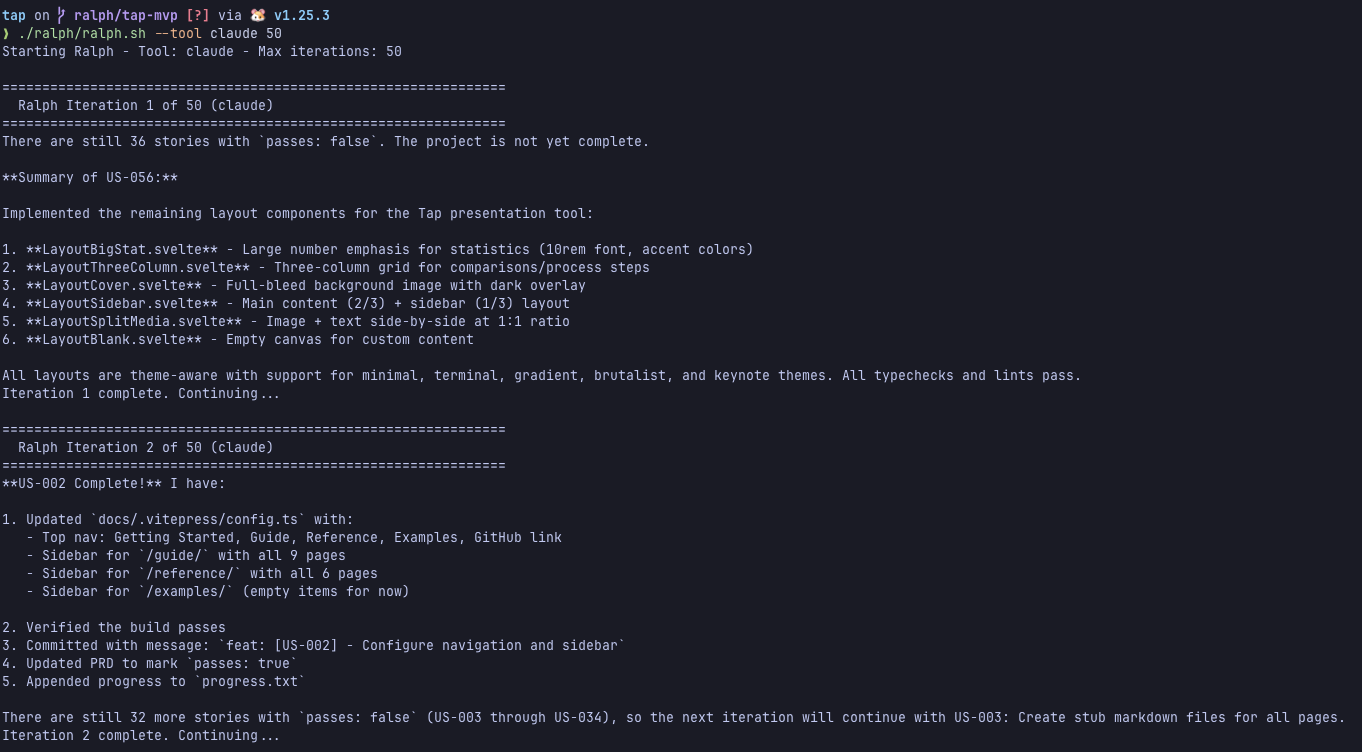
And then you just... let it cook.
Go cook yourself and make dinner. Sleep. Check in periodically to see commits rolling in. (I'm building a TUI called Chief to make monitoring and managing Ralph loops easier—stay tuned!)
A Word of Warning
Ralph will absolutely destroy your usage limits.
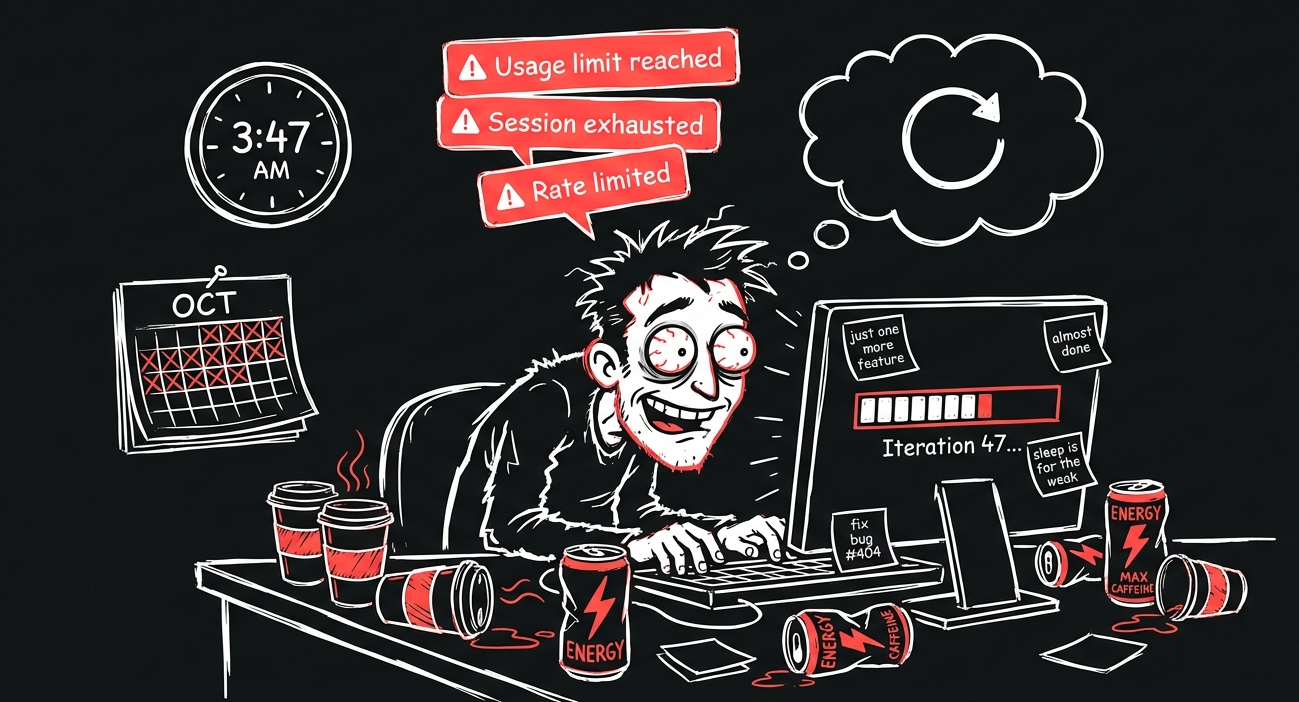
Geocodio engineer Sylvester Damgaard recently ran similar techniques on a personal project and maxed out TWO Claude Max 20x subscriptions. That's $400/month in subscriptions, exhausted in a few days of intensive work.
It's also surprisingly fun to watch. You kick off a loop, go do something else, and come back to a pile of commits.
The usage costs add up, but so does your time. For the right projects, it's a no-brainer.
When Ralph Shines
...and When to Be Cautious
Ralph is great for:
Greenfield Laravel projects
New features with clear boundaries
Prototypes and MVPs
Side projects where you're okay with some mess
Repetitive grunt work (30 Figma designs to code? Ralph.)
Be cautious with:
Established production codebases with lots of implicit conventions
Projects with complex deployment pipelines
Anything requiring manual QA gates
Code where you need to deeply understand every line
The key question: Will this exhaust my context window? If yes, you probably want Ralph.
I'd be hesitant to use Ralph on a large established codebase. There's too much implicit knowledge and convention that's hard to capture in a prompt. The bigger issue is that Ralph can contribute tens of thousands of lines of code very quickly. More code means more surface area for bugs and vulnerabilities. That's a lot of risk to introduce into a production system.
If you do use it on an established project, stick to well-defined, isolated features.
Real-World Results
I've only been digging into this for a few weeks, but the results I've seen in the community are wild:
Geoffrey Huntley built an entire esoteric programming language (CURSED) over 3 months using Ralph
Y Combinator hackathon team shipped 6 repos overnight
Ashley Hindle built Fuel, a multi-agent orchestrator inspired by Ralph loops
Steve Yegge's Gastown takes similar ideas in a different direction
I used Ralph to build the presentation tool for the talk that became this blog post. (Meta, I know.)
The Bigger Picture
Geocodio CEO Michele Hansen recently wrote about how AI is changing where we spend our time. There's an illustration in that post that captures it perfectly:
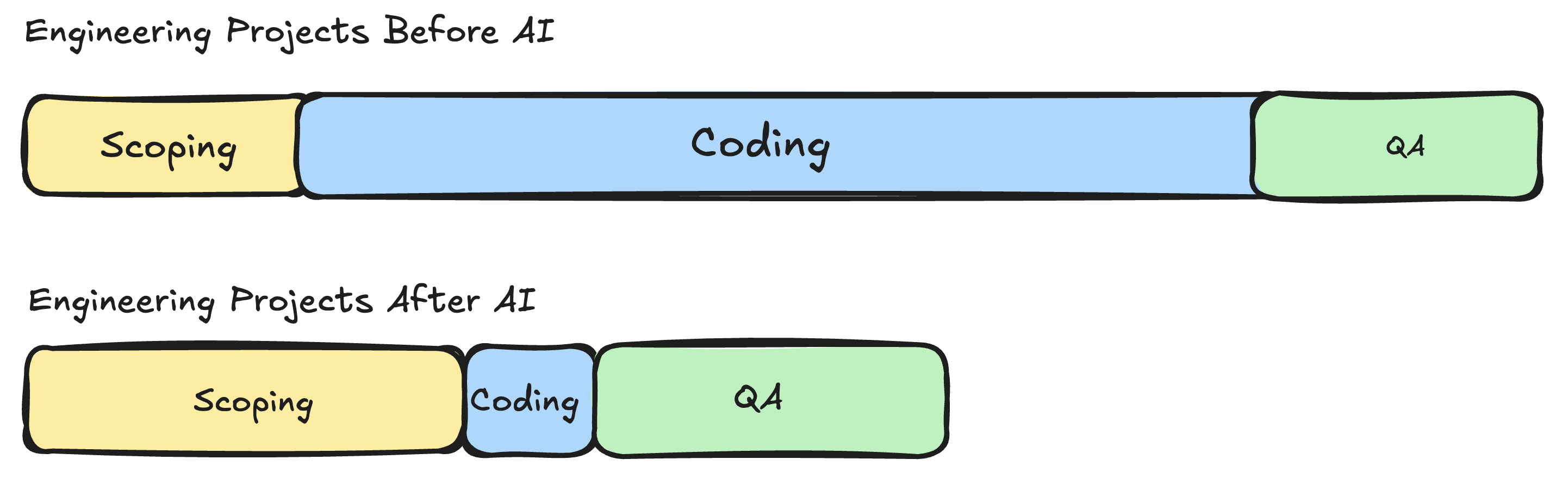
Before AI, time spent on a project was mostly implementation. Coding dominated. After AI, time spent is mostly scoping and QA. The coding part has collapsed.
I think we're becoming spec writers and code reviewers. The bottleneck isn't "can we build this?" anymore. It's "can we specify this clearly enough?"
Ralph takes that insight to its logical conclusion. You front-load the specification work (the PRD, the acceptance criteria, the task breakdown), then let the loop handle implementation while you sleep.
Getting Started
If you want to try Ralph yourself:
My advice for getting started with Ralph loops: Start small. Pick a feature you've been putting off. Write a detailed PRD with specific acceptance criteria. Set a conservative max iteration limit (10, not 100). Watch what happens.
The first time you wake up to a completed feature branch with 15 atomic commits, each implementing exactly one user story from your PRD... it changes how you think about what's possible.
Wrapping Up
This is all very new. I've only been seriously exploring Ralph for a few weeks, so I'm not an expert lecturing from above. The patterns are still evolving, the tooling is still maturing, and we're all figuring this out together.
What I do know is that the shift from implementation to specification is real. The engineers who thrive in this new world will be the ones who can clearly articulate what they want to build, define precise acceptance criteria, and review code critically.
The craft isn't disappearing. It's shifting.
Now if you'll excuse me, I have a feature to ship. Ralph's already on iteration 12.
Related
How We Use Claude Code at Geocodio
Claude Code is only as good as the context you give it.
Is Your Team Still Hand-Chiseling Code?
If you're struggling to get your engineers to adopt AI, keep reading.
Building a Jeopardy Game for Laravel Live Denmark
A crazy idea that turned into a fun mashup of software and hardware.
Get new posts in your inbox
We write about what we're working on, thinking about, and getting so excited playing around with that we accidentally stay up a bit too late.
Thanks for subscribing!